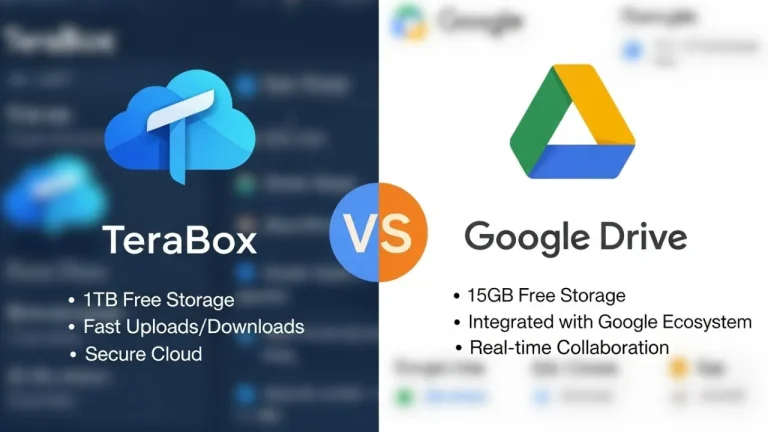
Is TeraBox Cloud Storage Legit and Safe? Full Security Review 2025
Cloud storage has become a necessity for both personal and business users, and among the many platforms available today, TeraBox stands out because it offers 1TB of free cloud storage. That massive space sounds attractive—but it also raises questions:
Is TeraBox really legit? Is your data safe? Should you trust it with your files?
This complete guide breaks down TeraBox’s safety, legitimacy, pros, cons, and best-use scenarios so you can decide confidently.
What Is TeraBox?
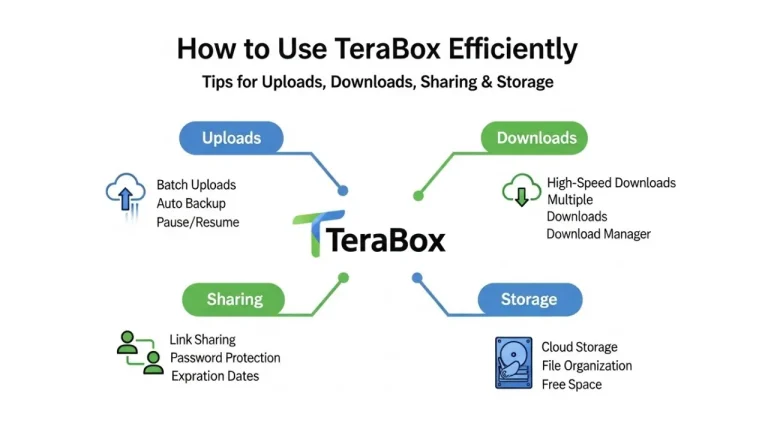
TeraBox is a cloud storage service that provides:
- 1TB of free storage
- File backup and sync
- Cross-device access
- Personal Vault for secure files
- File sharing features
The platform is owned by Flextech Inc., and it has gained millions of users globally, mainly because of its generous free storage.
Is TeraBox Legit?
Yes, TeraBox is a legitimate cloud storage service. It has been reviewed by major tech websites and is actively used worldwide. Users can store large amounts of data, access files from multiple devices, and upgrade to premium plans for additional features.
TeraBox works like any other cloud platform—upload your files to their servers, organize them in folders, and sync them across devices.
How Safe Is TeraBox?
TeraBox is “safe enough” for most everyday users, but it is not the most privacy-focused cloud service. Its safety depends on what kind of files you store.
TeraBox Security Features
TeraBox does offer several security protections:
- SSL/TLS encryption for files during upload and download
- Server-side encryption for stored data
- Personal Vault (Safe) for extra protection
- Password-protected file sharing
- Login security options
For regular use—photos, media, documents, and general backups—these security measures are acceptable.
Privacy Concerns to Be Aware Of
Despite its benefits, TeraBox comes with certain privacy considerations:
Broad Data Permission
Their privacy policy allows the service to process, store, and analyze some user data. This is common with ad-supported free services.
Not Zero-Knowledge Encryption
Unlike highly secure cloud services (like Sync.com or Proton Drive), TeraBox can technically access your files, since you don’t hold the encryption keys.
Ads and Data Collection
The free version displays ads and may gather data to personalize the user experience.
Mixed Transparency
Some users and reviewers point out that TeraBox’s parent company lacks the same transparency standards as big tech cloud providers.
If you store normal files, this won’t be a major issue. If you store confidential business documents or sensitive info, it can be a concern.
When TeraBox Is Safe to Use
TeraBox is perfectly safe for:
- Personal photos and videos
- Large media files
- School or college documents
- Non-sensitive business files
- Backups of apps, downloads, and archives
- File sharing with team members or clients (non-confidential)
For these use cases, TeraBox is a reliable and cost-effective option.
When You Should Avoid Using TeraBox
You should avoid storing sensitive or confidential data on TeraBox, such as:
- Financial information
- Business contracts
- Legal documents
- IDs, passports, or personal identity files
- Sensitive client data
- Medical records
- Confidential work projects
For this type of information, use a privacy-focused cloud service with zero-knowledge encryption.
How TeraBox Protects Your Data
Although not perfect, TeraBox does include some helpful safety features:
Personal Vault
A password-protected secure folder that keeps files locked even if someone accesses your device.
Encrypted Transfers
All uploads and downloads are encrypted, preventing data interception.
Password-Protected Sharing
Useful for sending files securely to clients or partners.
Backup & Sync
Ensures your files remain recoverable even if your device is lost or damaged.
Is TeraBox Good for Long-Term Storage?
Yes—but with caution.
TeraBox is good for:
- Storing large media
- Keeping long-term archives
- Reducing space usage on your phone or PC
However, for long-term critical data, it is wise to keep a duplicate backup somewhere else. No cloud service should ever be your only backup.
Is TeraBox Trustworthy Overall?
Here’s a simple breakdown:
TeraBox Is Trustworthy For:
- Everyday non-sensitive files
- Media libraries
- Student and office documents
- General backups
TeraBox Is Not Recommended For:
- Highly sensitive data
- Confidential business files
- Personal identification documents
Pros and Cons of TeraBox
Pros
- Huge free storage (1TB)
- Easy to use
- Sync across devices
- File sharing and secure vault
- Affordable premium plans
Cons
- Not zero-knowledge
- Free version includes ads
- Privacy policy is not very strict
- Slower speeds for free users
- Not ideal for critical sensitive info
Final Verdict
Yes, TeraBox is legit and reasonably safe — as long as you use it for the right type of files.
It’s best used for:
- Media storage
- Personal backups
- Non-sensitive files
- Everyday file sharing
- Large archives
Avoid using it for highly confidential or private information.
If you understand its limitations and use it wisely, TeraBox can be one of the most generous and useful free cloud storage options available today.